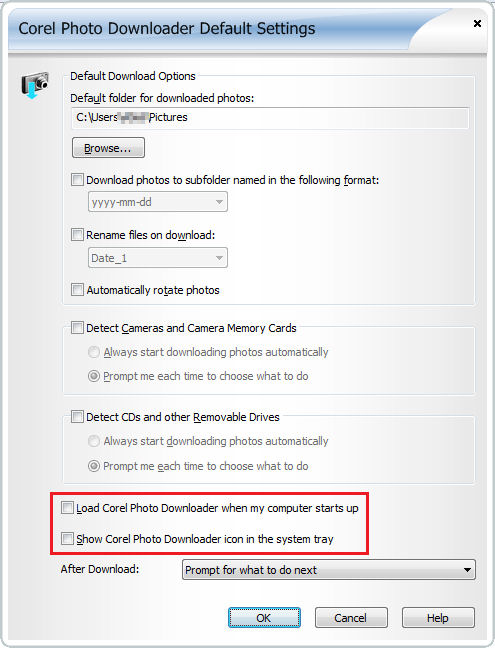
These are the steps on how to stop the Corel Photo Downloader from starting up automatically.
1. Click on StART
2. Select Programs / All Programs
3. Locate and Click on Corel PaintShop Photo Pro X3 or Corel PhotoAlbum folder
4. Click on the Corel Photo Downloader
5. Uncheck these options and then click the OK button:
- Load Corel Photo Downloader when my computer starts up and,
- Show Corel Photo Downloader icon in the System Tray
- You can also simply remove all checkmarks in the image below to completely disable the Photo Downloader